
Slotrize App Download Now

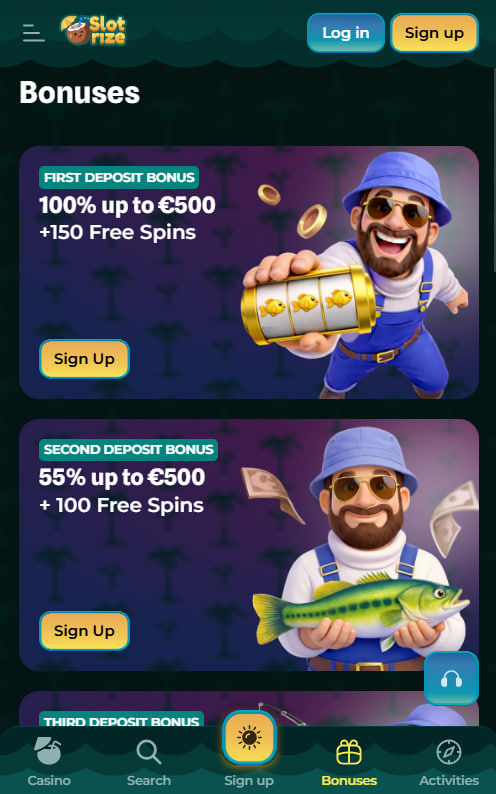
We installed the Slotrize Android app, played on an iPhone through Safari, and compared both experiences side by side. This page covers exactly what we did — how the download worked, what features we could access, and whether mobile play at Slotrize holds up to the desktop version. Everything tested from Ireland as of April 2026.
How We Installed the Slotrize App — Android and iOS Tested
Android — Download the App
The Slotrize app for Android is a direct download from the casino's website — it is not on Google Play because the store does not allow most real-money gambling apps. Getting it installed is simple:
- Open the Slotrize website on the phone's browser.
- Find the app download section and tap to download the APK file.
- If the phone asks, allow installations from unknown sources in the security settings — this just means "apps not from Google Play."
- Open the downloaded file and follow the prompts to install. Done.
One important thing: only download the APK from the official Slotrize website. Random APK sites on the internet could have tampered versions that are not safe.
iPhone — Use the Mobile Website
There is no Slotrize app in the Apple App Store, but the mobile website works perfectly in Safari. To make it feel more like an app:
- Go to the Slotrize website in Safari.
- Tap the share button (the square with an arrow at the bottom).
- Choose "Add to Home Screen."
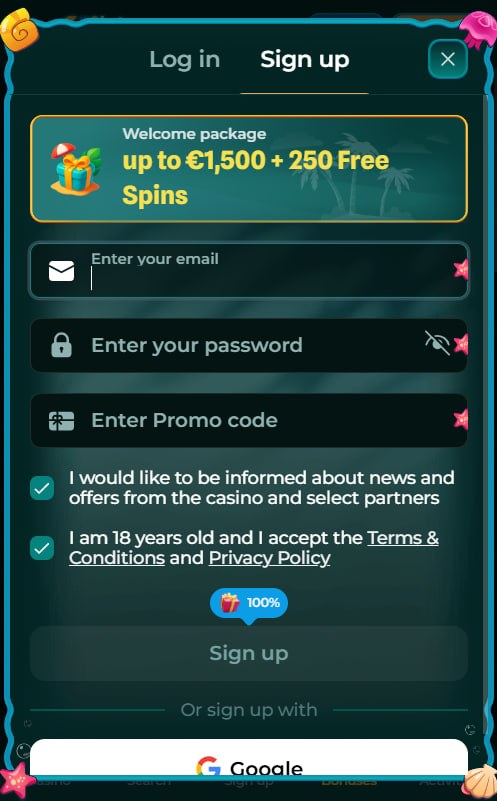
That puts a Slotrize icon right on the home screen. Tapping it opens the casino in full-screen mode — no address bar, no tabs, just the casino. It feels very close to using a real app. Players who need an account first can follow the registration guide before downloading.

What We Could Do on Mobile — The Full Feature Set
Everything that works on a computer works on the phone too. There are no missing features or stripped-down versions — mobile gives the full experience:
- All the games — 6,000+ slots, live casino tables, blackjack, roulette, crash games, and tournaments
- Deposits and withdrawals — Visa, Mastercard, Skrill, Neteller, Bitcoin, Ethereum, USDT, and everything else
- Bonuses — welcome package, promo code entry, cashback, VIP tier tracking
- Tournaments — Spinoleague leaderboards, daily missions, wheel-of-fortune spins
- Live chat — 24/7 support right from the mobile screen
- Account tools — deposit limits, self-exclusion, KYC uploads, transaction history
- Push alerts — bonus notifications and tournament reminders (Android app only)
Live casino games stream in HD on mobile, and the interface adjusts to fit whatever phone or tablet is being used. Bonus details and promo codes that work on mobile are listed on the bonuses and promo codes page.
App Versus Browser — Our Side-by-Side Test
| Feature | Android App | Mobile Browser |
|---|---|---|
| Need to install? | Yes — APK download | No |
| Push notifications | Yes — bonus and tournament alerts | No |
| Updates | Manual (re-download new APK) | Automatic (always current) |
| Speed | A bit faster (saved files on phone) | Normal |
| Games available | All 6,000+ | All 6,000+ |
| Payments | All methods | All methods |
| Works on iPhone? | No | Yes |
Bottom line: if playing regularly on Android, the app is the better choice — faster loading and push notifications for deals make a noticeable difference. For iPhone users or anyone who plays occasionally, the browser version does the exact same job without needing to install anything.
Mobile Security — What We Verified
Mobile security at Slotrize works the same way as on desktop. All connections are protected with 256-bit SSL encryption, which is the same standard banks use. Two-factor authentication can be turned on for extra login protection. Everything related to responsible gambling — deposit limits, session timers, cooling-off periods, and self-exclusion — is accessible from the mobile dashboard. The key safety rule for mobile: only download the APK from the official Slotrize website, never from third-party app stores or random download sites. For the full picture on licensing and security, the Slotrize Casino review covers everything.
Start Playing on Mobile
Download the Android app or open the mobile site on any phone. Full games, full payments, full bonuses — nothing left out.
Download for Android | Open Mobile Site
18+. Download APK from official site only. Gamble responsibly. BeGambleAware.org

Niamh Daly
Niamh Daly is a Galway-based gambling industry journalist with over seven years of experience testing and reviewing online casino platforms for the Irish market. She specialises in bonus analysis, regulatory developments, and hands-on platform testing.